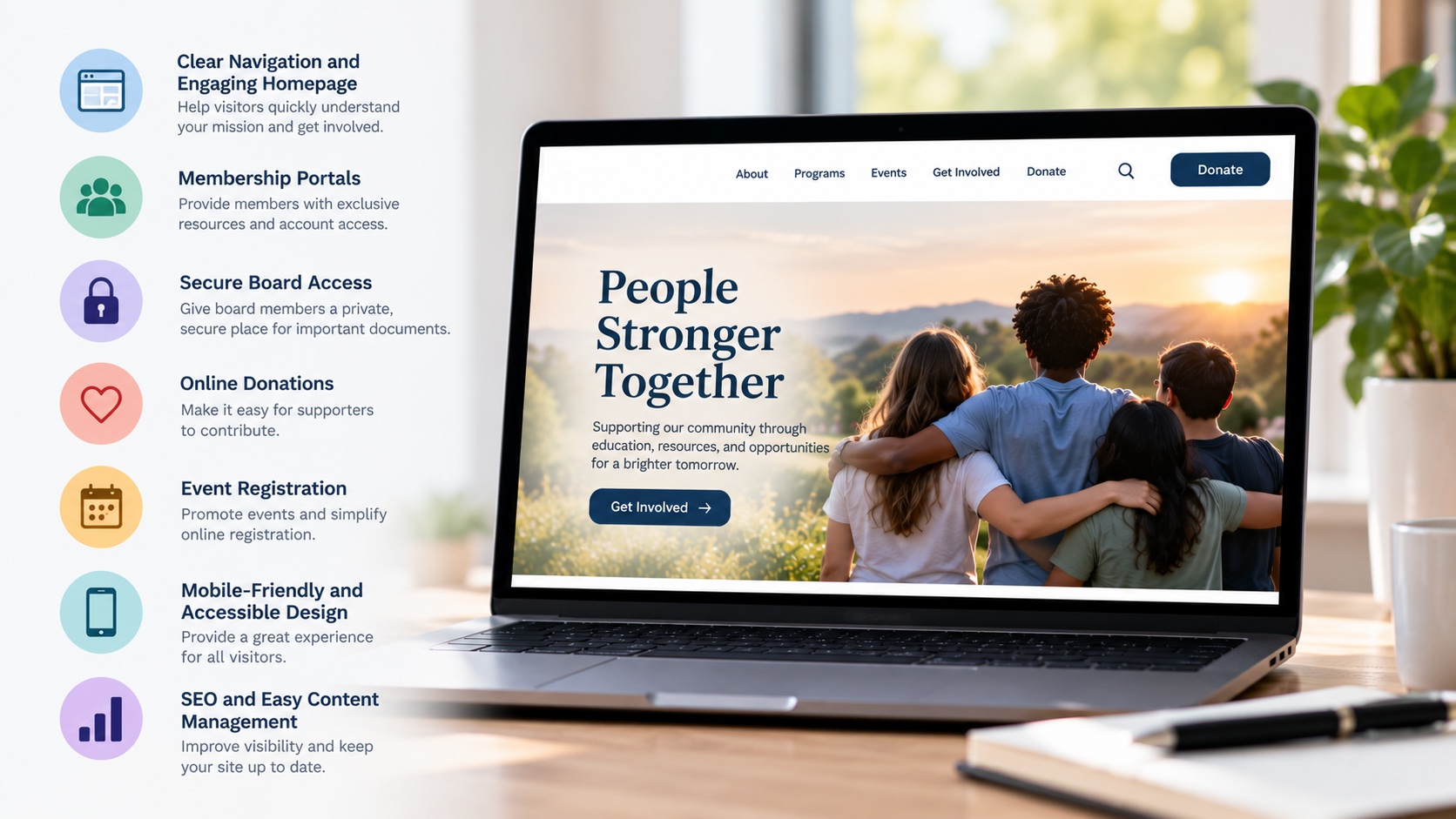
A nonprofit organization’s website serves many purposes. It communicates the organization’s mission, provides information to supporters, promotes events, accepts donations, and helps members, volunteers, and board members stay connected.
As nonprofit organizations grow, their website requirements often become more complex. What begins as a simple informational website may eventually need online donation processing, event registration, membership functionality, private document access, and other interactive features.
Choosing the right website platform is an important decision, particularly for organizations working with limited budgets and resources.
WordPress is a popular option for nonprofit websites because of its flexibility, extensive functionality, and ability to accommodate changing organizational needs. However, there are several factors nonprofits should consider before choosing it as their website platform.
Why WordPress Is a Popular Choice for Nonprofit Websites
WordPress is an open-source content management system (CMS) that allows organizations to create, manage, and update website content without requiring extensive programming knowledge.
Unlike some website-building platforms that limit customization or require organizations to use a specific set of built-in features, WordPress provides access to a broad ecosystem of themes, plugins, and development options.
For nonprofits, this flexibility can be particularly valuable.
An organization may initially need a website with information about its mission, leadership, programs, and upcoming events. Over time, it may want to introduce membership registration, private board resources, online donations, or additional functionality.
WordPress can support these requirements without necessarily requiring the organization to migrate to an entirely different platform.
Flexible Website Design and Branding
Every nonprofit organization has its own mission, audience, and communication objectives.
A community association may need to prioritize membership information and local events, while a charitable foundation may focus on fundraising, programs, and donor engagement.
WordPress allows websites to be designed around these different priorities.
Organizations can create customized layouts, navigation structures, landing pages, and content sections that reflect their branding and make important information easy to find.
A well-designed nonprofit website should clearly communicate:
- The organization’s mission and purpose
- Programs and services
- Leadership and board information
- Membership or volunteer opportunities
- Upcoming events and activities
- Donation and fundraising options
- Contact information
Rather than forcing these elements into a predetermined website structure, WordPress provides the flexibility to organize them around the needs of the organization and its visitors.
Easy Content Management for Staff and Volunteers
Nonprofit websites often need regular updates, but the people responsible for maintaining them may not have technical backgrounds.
Staff members, volunteers, or board representatives may need to publish announcements, update event details, add photographs, or make changes to organizational information.
WordPress provides an administrative interface for managing website content.
With the appropriate configuration and training, authorized users can:
- Add and edit website pages
- Publish news and announcements
- Update event information
- Manage images and documents
- Maintain program descriptions
- Update staff and leadership information
User roles and permissions can also help control which individuals have access to different administrative functions.
For organizations with multiple contributors, establishing clear permissions and content approval procedures is especially important.
Membership Portals and Private Website Areas
One of the most useful WordPress capabilities for certain nonprofit organizations is the ability to create restricted website areas.
Membership associations, professional organizations, community groups, and nonprofits with active boards may need to provide information that should not be publicly accessible.
A WordPress membership portal can be configured to support features such as:
- Member login and account access
- Members-only pages and resources
- Restricted documents and downloads
- Membership registration
- Member directories
- Membership renewal options
- Different access levels for members and administrators
These features allow organizations to provide a public-facing website while maintaining separate areas for authorized users.
The specific functionality depends on the membership system selected and how it is configured.
For organizations considering a membership portal, it is important to define access requirements before development begins.
Secure Board of Directors Portals
Nonprofit boards frequently need access to meeting materials, organizational policies, financial reports, committee documents, and other resources.
Distributing these materials through email can become difficult to manage, particularly when documents are updated or board membership changes.
A private board portal can provide a centralized location for authorized board members to access important information.
Depending on the organization’s needs, a WordPress-based board portal may include:
- Secure board member login
- Meeting agendas and minutes
- Committee documents
- Organizational policies and bylaws
- Board calendars
- Restricted announcements
- Role-based access permissions
- Downloadable resources
A board portal should be designed with appropriate security controls, particularly when documents contain confidential or sensitive information.
For highly sensitive board materials, organizations should evaluate whether a dedicated board management platform offers additional security, auditing, or governance capabilities that a general-purpose WordPress portal may not provide.
Online Donations and Fundraising
For charitable organizations, online donations can be an important part of website functionality.
WordPress supports integrations with donation and payment processing services that allow supporters to contribute directly through the website.
Depending on the selected solution, features may include:
- One-time donations
- Recurring contributions
- Campaign-specific donation forms
- Suggested donation amounts
- Donation confirmation emails
- Fundraising progress displays
- Donor management integrations
A well-designed donation process should be simple, mobile-friendly, and easy to understand.
Organizations should also consider payment processing fees, recurring donation management, donor data privacy, and the reporting capabilities of the selected donation platform.
Using a reputable payment provider and avoiding unnecessary storage of sensitive payment information can help reduce security risks.
Event Registration and Calendar Integration
Many nonprofits organize fundraising events, educational programs, community meetings, networking opportunities, and membership activities.
WordPress can support event calendars and online registration systems that help organizations promote these activities.
Potential features include:
- Upcoming event calendars
- Event detail pages
- Online registration forms
- Attendance limits
- Registration confirmation emails
- Paid and free event registration
- Event categories
- Calendar integrations
For organizations that host frequent events, these capabilities can reduce manual administrative work while making participation easier for members and supporters.
Event functionality should be selected based on the organization’s actual needs rather than adding unnecessary complexity.
Search Engine Optimization for Nonprofit Organizations
A nonprofit website should do more than provide information to people who already know the organization exists.
It should also help new supporters, volunteers, members, and community partners discover the organization through search engines.
WordPress provides a foundation for implementing search engine optimization (SEO) strategies.
With appropriate development and configuration, nonprofits can optimize:
- Page titles and meta descriptions
- Website headings and content
- Page URLs
- Internal links
- Images and alternative text
- Mobile usability
- Website performance
- Structured data
For example, a nonprofit serving a particular community may benefit from pages describing its programs, geographic service areas, volunteer opportunities, and upcoming events.
Educational articles and organizational updates can also help attract visitors searching for information related to the nonprofit’s mission.
However, simply using WordPress does not guarantee strong Google rankings.
Effective SEO still requires useful content, technical optimization, and ongoing attention to search performance.
Accessibility and Inclusive Website Design
Accessibility is an important consideration for nonprofit organizations, particularly those serving diverse communities.
A website should be designed so that people with disabilities can access information and use important features.
Accessibility considerations include:
- Sufficient color contrast
- Readable typography
- Keyboard-friendly navigation
- Descriptive alternative text for images
- Proper heading structures
- Accessible forms
- Clear link descriptions
- Compatibility with assistive technologies
WordPress can be used to develop accessible websites, but accessibility is not automatic.
Themes, plugins, design decisions, and custom functionality all influence the accessibility of the finished website.
Organizations should evaluate their website against applicable accessibility standards, such as the Web Content Accessibility Guidelines (WCAG), and consider the legal requirements relevant to their operations.
Integration With Existing Tools and Services
Nonprofit organizations often rely on several systems to manage their activities.
These may include email marketing platforms, customer relationship management systems, donation processors, membership databases, and event registration services.
WordPress can integrate with many third-party applications, allowing information to move between the website and other systems.
For example, an organization might connect:
- Donation forms to a donor management platform
- Membership registration to a CRM
- Newsletter forms to an email marketing service
- Event registration to an attendance management system
- Contact forms to internal notification workflows
These integrations can reduce duplicate data entry and improve administrative efficiency.
However, compatibility should be confirmed before selecting a particular plugin or development approach.
Not every system offers the same integration capabilities, and some connections may require custom development or paid services.
Website Security and Ongoing Maintenance
WordPress provides considerable flexibility, but it also requires ongoing maintenance.
Because WordPress websites frequently use themes, plugins, and third-party integrations, keeping these components updated is important for security and reliability.
A nonprofit website maintenance plan should address:
- WordPress core updates
- Plugin and theme updates
- Regular website backups
- Security monitoring
- User account management
- Strong passwords and multifactor authentication
- Website performance monitoring
- Periodic testing of forms and integrations
Organizations should also review administrative access when staff members, volunteers, or board representatives leave their positions.
Outdated plugins, excessive user permissions, and neglected website updates can create unnecessary security risks.
For nonprofits without dedicated technical staff, professional website maintenance may be a worthwhile investment.
Understanding the Costs of a WordPress Nonprofit Website
WordPress itself is open-source software, but operating a professional website involves additional expenses.
The total cost depends on the website’s design, functionality, hosting requirements, and ongoing support needs.
Potential expenses include:
- Website design and development
- Domain registration
- Website hosting
- Premium themes or plugins
- Membership portal functionality
- Donation processing fees
- Event registration tools
- Security and maintenance services
- Ongoing content and SEO support
A relatively simple informational website may have modest operating costs.
A more advanced website with membership accounts, restricted resources, event registration, and multiple integrations will generally require a larger development and maintenance budget.
Nonprofits should evaluate both the initial development cost and the long-term expense of operating the website.
Choosing the Right Plugins and Features
One of WordPress’s greatest advantages is its extensive plugin ecosystem.
Plugins can add functionality without requiring every feature to be developed from scratch.
However, installing too many plugins or selecting poorly maintained extensions can create performance, compatibility, and security concerns.
Before adding a new feature, organizations should consider:
- Whether the functionality is genuinely needed
- Whether the plugin is actively maintained
- Compatibility with the current WordPress environment
- Security and privacy considerations
- Ongoing licensing costs
- Availability of technical support
- Integration with existing website features
A carefully planned website with a smaller collection of reliable tools is often easier to maintain than one built around numerous overlapping plugins.
When WordPress May Not Be the Best Choice
Although WordPress is suitable for many nonprofit websites, it is not necessarily the best solution for every organization.
A nonprofit requiring highly specialized membership administration, complex financial workflows, extensive governance features, or advanced internal operations may benefit from a dedicated software platform.
Similarly, an organization without access to ongoing technical support may prefer a more restrictive hosted website builder that handles more maintenance tasks automatically.
The decision should reflect the organization’s goals, technical resources, security requirements, and budget.
For many nonprofits, WordPress offers a practical balance between flexibility, customization, and long-term control.
The key is determining which features are essential and how the website will be managed after launch.
Planning a WordPress Website for Long-Term Growth
A nonprofit’s website should be developed with future needs in mind.
An organization may begin with a relatively simple website and later introduce additional programs, membership functionality, event registration, or fundraising capabilities.
Planning for these possibilities can help reduce unnecessary redevelopment.
Before starting a WordPress project, nonprofit leadership should consider several questions:
- Who will manage website content?
- Which audiences need access to the website?
- Will members or board representatives require private login areas?
- Does the organization need online donations or event registration?
- Which existing systems need to connect to the website?
- What security and accessibility requirements apply?
- Who will handle website maintenance?
- How might the organization’s needs change over the next several years?
Answering these questions early helps establish a clearer development plan and ensures the website supports the organization’s objectives.
WordPress Website Design for Nonprofit Organizations
At 4Site Media Group, we help organizations develop professional WordPress websites designed around their communication, engagement, and operational needs.