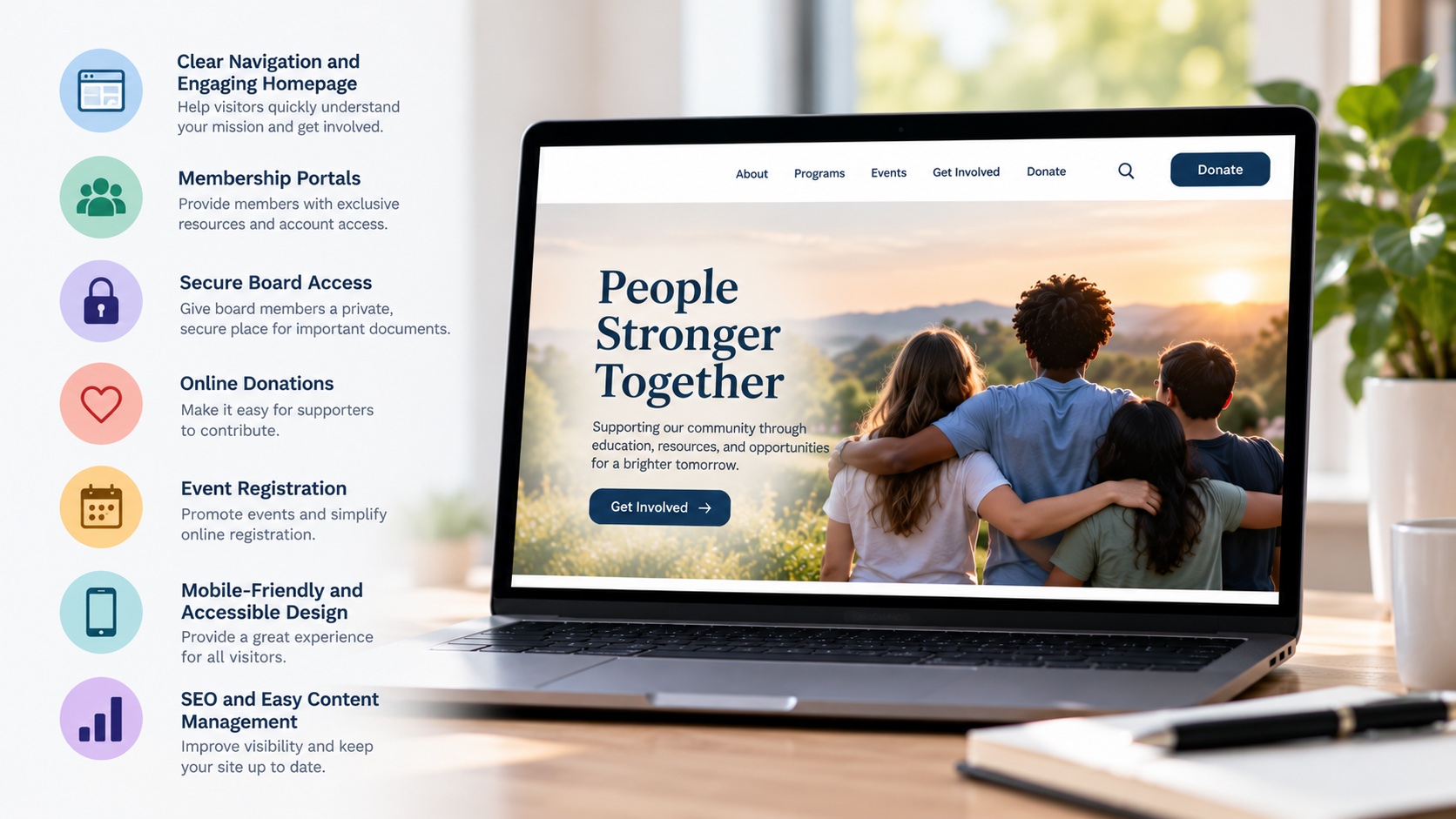
A nonprofit organization’s website is more than an online brochure. It serves as a central resource for communicating the organization’s mission, connecting with supporters, promoting programs, and providing important information to members, volunteers, and board representatives.
Whether an organization focuses on charitable initiatives, professional development, community programs, or membership services, its website should make it easy for visitors to find information and become involved.
As nonprofit organizations grow, their websites often need to support additional functionality, including event registration, online donations, membership access, and private resources.
A well-designed nonprofit website should balance an engaging public experience with practical tools that support the organization’s daily activities.
The following seven features provide a strong foundation for a professional, functional nonprofit website.
Clear Navigation and an Engaging Homepage
A nonprofit website should immediately communicate what the organization does, who it serves, and how visitors can participate.
The homepage is often the first impression a potential donor, volunteer, member, or community partner has of the organization.
A strong homepage should include:
- A clear explanation of the organization’s mission
- An introduction to its programs and services
- Information about membership or volunteer opportunities
- Links to upcoming events and activities
- Relevant photographs and visual content
- Prominent ways to contact or support the organization
Navigation should be organized around the information visitors are most likely to need.
For example, a nonprofit website might include menu sections for About Us, Programs, Membership, Events, Resources, and Contact.
Avoid overwhelming visitors with excessive menu options or lengthy introductory content.
The objective is to help people understand the organization quickly and find the information most relevant to them.
Membership Portals and Private Resource Areas
Many nonprofit organizations serve members who require access to information beyond what is available on the public website.
Professional associations, community organizations, industry groups, and membership-based nonprofits may benefit from a secure members-only area.
A membership portal can provide access to:
- Member account information
- Exclusive documents and resources
- Membership directories
- Educational materials
- Event registration
- Membership renewal information
- Restricted announcements
- Member-specific content
A properly configured portal allows the organization to maintain a public website while providing additional functionality for authorized users.
For example, a professional association might offer members access to training resources, industry publications, and networking opportunities.
A community organization may use its portal to distribute meeting information, membership updates, and private documents.
The specific features should reflect the organization’s membership structure and administrative requirements.
Secure Board of Directors Access
Nonprofit boards frequently need access to meeting agendas, minutes, policies, financial documents, committee materials, and other organizational resources.
Managing these documents through email attachments or scattered file-sharing systems can become inefficient.
A dedicated board portal provides a centralized location where authorized board members can access important information.
Potential features include:
- Secure board member login
- Meeting agendas and minutes
- Board calendars
- Organizational bylaws and policies
- Committee documents
- Restricted announcements
- Downloadable reports
- Role-based access permissions
A board portal can be developed as a separate restricted area within the organization’s existing website.
For example, board members may receive access to resources that general members and public visitors cannot view.
Security is particularly important when the portal contains confidential information.
Organizations should consider multifactor authentication, appropriate user permissions, secure document storage, and procedures for removing access when board membership changes.
For highly sensitive materials or advanced governance requirements, a dedicated board management platform may be more appropriate.
Online Donations and Fundraising Capabilities
For nonprofits that depend on charitable contributions, the website should make supporting the organization straightforward.
An online donation system allows supporters to contribute without mailing checks or contacting the organization directly.
Depending on the organization’s fundraising needs, donation functionality may include:
- One-time donations
- Recurring contributions
- Campaign-specific donation pages
- Suggested contribution amounts
- Donation confirmation emails
- Fundraising progress information
- Integration with donor management systems
The donation process should be easy to complete on both desktop and mobile devices.
Visitors should understand where their contribution is going and receive appropriate confirmation after submitting a donation.
Nonprofits should also consider transaction fees, payment security, donor privacy, and reporting requirements when selecting a donation platform.
Not every nonprofit relies on donations. Membership associations and other organizations may instead prioritize dues collection, event payments, or sponsorship opportunities.
The website’s payment functionality should reflect how the organization operates.
Event Calendars and Online Registration
Events are an important part of many nonprofit organizations.
Whether hosting fundraising activities, educational workshops, community meetings, networking events, or member gatherings, organizations need an effective way to promote upcoming activities.
An integrated event calendar can help visitors stay informed and encourage participation.
Useful features include:
- An organized calendar of upcoming events
- Individual event information pages
- Online registration forms
- Attendance limits
- Registration confirmation emails
- Free and paid registration options
- Event categories
- Calendar integration
For example, a nonprofit hosting monthly educational programs could allow members to review upcoming sessions, register online, and receive confirmation without requiring staff to process each registration manually.
Event registration tools can also help organizations maintain attendance records and communicate important updates.
The goal is to simplify the experience for both participants and administrators.
Mobile-Friendly Design and Website Accessibility
Nonprofit websites serve a wide range of audiences, many of whom access information through smartphones and tablets.
A website that works well on desktop computers but is difficult to navigate on mobile devices can discourage participation.
Responsive design helps ensure that website content adapts to different screen sizes.
Important mobile considerations include:
- Easy-to-use navigation menus
- Readable text
- Properly sized buttons and links
- Mobile-friendly forms
- Fast page loading
- Clear event and donation information
Accessibility is equally important.
A nonprofit website should be designed to accommodate visitors who use assistive technologies or have visual, motor, auditory, or cognitive disabilities.
Accessibility considerations include sufficient color contrast, descriptive image text, keyboard navigation, proper heading structures, and accessible forms.
Organizations should evaluate their websites against relevant accessibility standards, including the Web Content Accessibility Guidelines (WCAG), and any legal requirements applicable to their operations.
An accessible website helps more people engage with the organization’s mission, programs, and services.
Search Engine Optimization and Content Management
A nonprofit website should be easy to maintain and discover through search engines.
Search engine optimization (SEO) helps organizations improve their visibility when people search for relevant programs, services, events, and opportunities.
For example, a community nonprofit may want to appear in searches related to volunteer opportunities or local educational programs.
A professional association may want to reach individuals searching for industry resources or membership organizations.
Important SEO elements include:
- Descriptive page titles and meta descriptions
- Clear website headings
- Organized page URLs
- Relevant, informative content
- Internal links between related pages
- Optimized images
- Mobile-friendly website performance
- Accurate business and organizational information
An effective content management system also allows authorized staff members and volunteers to update information without requiring a developer for every change.
Platforms such as WordPress can support this flexibility through customizable website structures, user permissions, and additional functionality.
Nonprofits should establish a process for reviewing and updating website content so that event details, leadership information, program descriptions, and other resources remain accurate.
Additional Considerations When Planning a Nonprofit Website
While these seven features provide a strong foundation, not every nonprofit requires the same functionality.
A charitable organization may prioritize fundraising and volunteer registration, while a membership association may place greater emphasis on member accounts, board resources, and event management.
Before beginning a website project, nonprofit leadership should identify the organization’s most important audiences and objectives.
Questions worth considering include:
- Who will use the website most frequently?
- What information should be publicly available?
- Will members or board representatives need private access?
- Does the organization accept donations or membership payments?
- Are event registration and calendars necessary?
- Who will be responsible for website updates?
- What existing systems need to integrate with the website?
- How will security, maintenance, and accessibility be managed?
Answering these questions helps establish priorities and avoid investing in functionality that the organization may not need.
It also provides a foundation for future growth.
Building a Nonprofit Website That Supports Long-Term Growth
A successful nonprofit website should make it easier for the organization to communicate, engage supporters, and manage important online activities.
As programs expand and organizational needs change, the website should be flexible enough to accommodate additional content and functionality.
A carefully planned website can support everything from public communications and fundraising to membership services and private board resources.
Rather than viewing the website as a one-time design project, nonprofits should consider it an ongoing resource that supports their mission and organizational development.
Nonprofit Website Design and Development
At 4Site Media Group, we help nonprofit organizations create professional websites that combine modern design with practical functionality.
Our website development services can include custom WordPress design, membership portals, private board resources, event registration, online forms, search engine optimization, and integration with third-party platforms.
Whether your organization is launching a new website, redesigning an outdated one, or adding functionality to better serve members and supporters, we can help develop a solution that aligns with your objectives.
Contact 4Site Media Group to discuss your nonprofit website project and explore the features that will best support your organization.